Go Back
Last Updated :
Last Updated :
Mar 9, 2026
Mar 9, 2026

Form 5227: Navigating Split-Interest Trust Reporting Without the Compliance Headache
Managing the financial and tax reporting responsibilities of split-interest trusts can feel like navigating a minefield of regulations and deadlines. For founders, COOs, and finance heads overseeing startup finances, understanding Form 5227 is essential to ensure compliance without drowning in bureaucracy.
In this guide, we’ll break down what Form 5227 is, who needs to file it, and how to manage the reporting process efficiently—freeing you to focus on growing your business rather than wrestling with paperwork.
What Is Form 5227 and Who Needs to File It?
Form 5227, officially titled Split-Interest Trust Information Return, is used by trustees of certain trust types to report income, deductions, charitable distributions, and financial activity related to split-interest trusts. These trusts allocate income or assets to both charitable and non-charitable beneficiaries, creating unique reporting requirements.
Types of Split-Interest Trusts That Require Form 5227
Charitable Lead Trusts (CLTs): Trusts paying income to a charity for a period before transferring remaining assets to non-charitable beneficiaries.
Charitable Remainder Annuity Trusts and Unitrusts (CRTs): Trusts that pay a fixed amount or a percentage of trust assets to non-charitable beneficiaries for a term, with the remainder going to charity.
Pooled Income Funds: Charitable funds that pool donations and pay income to designated beneficiaries based on their interest.
If your startup, agency, or e-commerce company is managing or holds stakes in these types of trusts, you or your fiduciary is legally required to file Form 5227 annually.
Who Actually Must File?
Trustees of split-interest trusts described above.
Organizations managing pooled income funds.
Entities that hold and manage charitable remainder or lead trusts.
Knowing whether your business must file—and maintaining compliance—is critical because failing to file Form 5227 on time can result in penalties. The IRS treats split-interest trusts differently from standard trusts, so relying on generic tax expertise isn’t enough. Specialized knowledge is necessary to avoid costly errors.
For startups and agencies seeking efficient trust-related tax services, exploring streamlined solutions here can ease compliance.
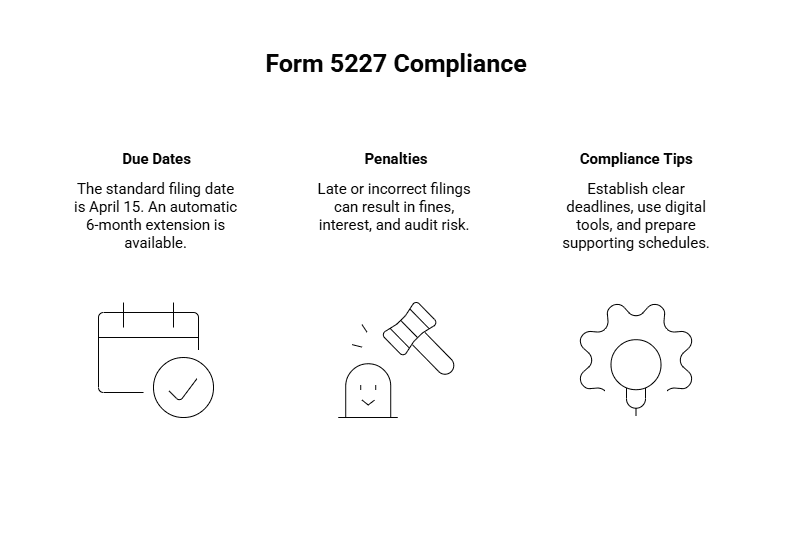
When Is Form 5227 Due? Penalties and Compliance Tips
Due Dates and Extensions
The standard filing date for Form 5227 aligns with the calendar year trust tax return deadline: April 15 of the year following the end of the tax year.
If April 15 falls on a weekend or holiday, the deadline shifts to the next business day.
Trustees can request an automatic 6-month extension using IRS Form 8868, but keep in mind that an extension to file is not an extension to pay any taxes owed.
Penalties for Late or Incorrect Filings
Late filings, incomplete forms, or significant errors can trigger IRS penalties. For trusts, IRS penalties may include:
A fine per day that the form is late, subject to a maximum limit.
Interest charges on any unpaid tax due.
Potential audit risk if reports are inconsistent or incomplete.
Key Compliance Tips
Establish clear deadlines in your financial calendar early on.
Use digital tools and expert bookkeeping services for accuracy. Our startup-native services make it easier to track deadlines and gather required financial info see reporting tools.
Prepare supporting schedules ahead of time to avoid last-minute scrambling.
How to Fill Out Form 5227: A Step-by-Step Overview
Filing Form 5227 might look daunting, but understanding its core components helps demystify the process. Here’s what you need to include:
Part/Section | What It Covers | Tips for Accuracy |
Part I — Income and Deductions | Report all income (interest, dividends) and allowable deductions (trustee fees, administrative costs). | Keep detailed records of all transactions throughout the fiscal year. |
Part II — Charitable Distributions | Details on amounts distributed to charitable beneficiaries. | Ensure distributions match supporting documentation. |
Part III — Balance Sheet | Financial position of the trust at year-end, assets, liabilities, and net assets. | Use updated asset appraisals or valuations to avoid misreporting. |
Schedules (A, K-1, etc.) | Additional forms supporting deductions, beneficiary distributions, and unrelated business income (Form 990-T). | Coordinate closely with your tax advisor to handle schedules correctly. |
Practical Example
Suppose your startup is the trustee of a charitable remainder unitrust. During the year, the trust earned $100,000 income, paid out $30,000 to non-charitable beneficiaries, and allocated $20,000 to charity. Form 5227 requires exact reporting of those figures, along with any administrative expenses.
Gathering this data may appear complex, but keeping robust financial records and using modern bookkeeping tools simplifies the process significantly.
Key Supporting Forms and When to Use Them
The IRS requires several supporting forms alongside Form 5227, depending on the trust’s income and activities:
Schedule A (Form 5227): Breaks down charitable deductions related to the trust.
Schedule K-1: Reports income distributed to beneficiaries, essential if the trust has unitrust or annuity arrangements.
Form 990-T: Filed when the trust reports unrelated business income subject to tax.
Schedule D: If the trust holds capital assets to report gains or losses.
Familiarity with these documents—and ensuring they align seamlessly with Form 5227—is critical for accurate reporting and audit readiness.
E-Filing Form 5227: Benefits and Best Practices for Startups and Agencies
Electronic filing of Form 5227 is becoming the preferred method for many trustees. The IRS supports e-filing for this form, with notable advantages:
Accuracy: Automated data checks help reduce common errors.
Convenience: Submit from anywhere without mailing delays.
Real-Time IRS Status Updates: Track acceptance and resolve rejections promptly.
Many startups and agencies find e-filing streamlines compliance, especially when paired with bookkeeping systems designed to sync financial data with tax forms seamlessly.
To learn more about the benefits of e-filing and simplifying trust tax compliance, see Haven’s reporting features.
Checklist: Avoid Common Form 5227 Filing Mistakes
As a founder or operations leader, managing split-interest trust reporting efficiently reduces risk and frees your team to focus on growth. Here are common pitfalls to avoid:
Skipping detailed income allocation: Misallocating income among charitable and non-charitable beneficiaries can cause IRS issues.
Forgetting supporting schedules: Missing Schedules K-1, A, or 990-T leads to incomplete filings.
Ignoring deadlines or extension options: Late filings multiply penalties.
Using generic bookkeeping software: Not all accounting tools are suited for split-interest trust specifics.
Clarity and organized records paired with tax support can remove these headaches.
Retaining Records and Amending Form 5227
Post-filing, trustees must retain records supporting all entries on Form 5227 for a minimum of three years from the date the return is due, or longer if the IRS is investigating.
If errors are found after submission, amending the form is possible by filing a corrected return with the IRS and attaching an explanation of changes. Prompt action reduces audit risk and mitigates penalties.
Master Your Split-Interest Trust Reporting with Confidence Using Form 5227
Handling split-interest trust reporting can be complex, but with a clear understanding of Form 5227, founders and finance leaders can take control of compliance confidently. Remember:
Form 5227 is mandatory for trustees managing CLTs, CRTs, and pooled income funds.
Timely filing and proper use of supporting schedules sidestep costly IRS penalties.
Embracing e-filing and modern bookkeeping tools plugs compliance gaps.
Staying organized year-round simplifies reporting and builds audit readiness.
If your startup or agency oversees split-interest trusts, integrating tailored accounting support ensures you harness the tax benefits without the compliance headache.
Managing the financial and tax reporting responsibilities of split-interest trusts can feel like navigating a minefield of regulations and deadlines. For founders, COOs, and finance heads overseeing startup finances, understanding Form 5227 is essential to ensure compliance without drowning in bureaucracy.
In this guide, we’ll break down what Form 5227 is, who needs to file it, and how to manage the reporting process efficiently—freeing you to focus on growing your business rather than wrestling with paperwork.
What Is Form 5227 and Who Needs to File It?
Form 5227, officially titled Split-Interest Trust Information Return, is used by trustees of certain trust types to report income, deductions, charitable distributions, and financial activity related to split-interest trusts. These trusts allocate income or assets to both charitable and non-charitable beneficiaries, creating unique reporting requirements.
Types of Split-Interest Trusts That Require Form 5227
Charitable Lead Trusts (CLTs): Trusts paying income to a charity for a period before transferring remaining assets to non-charitable beneficiaries.
Charitable Remainder Annuity Trusts and Unitrusts (CRTs): Trusts that pay a fixed amount or a percentage of trust assets to non-charitable beneficiaries for a term, with the remainder going to charity.
Pooled Income Funds: Charitable funds that pool donations and pay income to designated beneficiaries based on their interest.
If your startup, agency, or e-commerce company is managing or holds stakes in these types of trusts, you or your fiduciary is legally required to file Form 5227 annually.
Who Actually Must File?
Trustees of split-interest trusts described above.
Organizations managing pooled income funds.
Entities that hold and manage charitable remainder or lead trusts.
Knowing whether your business must file—and maintaining compliance—is critical because failing to file Form 5227 on time can result in penalties. The IRS treats split-interest trusts differently from standard trusts, so relying on generic tax expertise isn’t enough. Specialized knowledge is necessary to avoid costly errors.
For startups and agencies seeking efficient trust-related tax services, exploring streamlined solutions here can ease compliance.
When Is Form 5227 Due? Penalties and Compliance Tips
Due Dates and Extensions
The standard filing date for Form 5227 aligns with the calendar year trust tax return deadline: April 15 of the year following the end of the tax year.
If April 15 falls on a weekend or holiday, the deadline shifts to the next business day.
Trustees can request an automatic 6-month extension using IRS Form 8868, but keep in mind that an extension to file is not an extension to pay any taxes owed.
Penalties for Late or Incorrect Filings
Late filings, incomplete forms, or significant errors can trigger IRS penalties. For trusts, IRS penalties may include:
A fine per day that the form is late, subject to a maximum limit.
Interest charges on any unpaid tax due.
Potential audit risk if reports are inconsistent or incomplete.
Key Compliance Tips
Establish clear deadlines in your financial calendar early on.
Use digital tools and expert bookkeeping services for accuracy. Our startup-native services make it easier to track deadlines and gather required financial info see reporting tools.
Prepare supporting schedules ahead of time to avoid last-minute scrambling.
How to Fill Out Form 5227: A Step-by-Step Overview
Filing Form 5227 might look daunting, but understanding its core components helps demystify the process. Here’s what you need to include:
Part/Section | What It Covers | Tips for Accuracy |
Part I — Income and Deductions | Report all income (interest, dividends) and allowable deductions (trustee fees, administrative costs). | Keep detailed records of all transactions throughout the fiscal year. |
Part II — Charitable Distributions | Details on amounts distributed to charitable beneficiaries. | Ensure distributions match supporting documentation. |
Part III — Balance Sheet | Financial position of the trust at year-end, assets, liabilities, and net assets. | Use updated asset appraisals or valuations to avoid misreporting. |
Schedules (A, K-1, etc.) | Additional forms supporting deductions, beneficiary distributions, and unrelated business income (Form 990-T). | Coordinate closely with your tax advisor to handle schedules correctly. |
Practical Example
Suppose your startup is the trustee of a charitable remainder unitrust. During the year, the trust earned $100,000 income, paid out $30,000 to non-charitable beneficiaries, and allocated $20,000 to charity. Form 5227 requires exact reporting of those figures, along with any administrative expenses.
Gathering this data may appear complex, but keeping robust financial records and using modern bookkeeping tools simplifies the process significantly.
Key Supporting Forms and When to Use Them
The IRS requires several supporting forms alongside Form 5227, depending on the trust’s income and activities:
Schedule A (Form 5227): Breaks down charitable deductions related to the trust.
Schedule K-1: Reports income distributed to beneficiaries, essential if the trust has unitrust or annuity arrangements.
Form 990-T: Filed when the trust reports unrelated business income subject to tax.
Schedule D: If the trust holds capital assets to report gains or losses.
Familiarity with these documents—and ensuring they align seamlessly with Form 5227—is critical for accurate reporting and audit readiness.
E-Filing Form 5227: Benefits and Best Practices for Startups and Agencies
Electronic filing of Form 5227 is becoming the preferred method for many trustees. The IRS supports e-filing for this form, with notable advantages:
Accuracy: Automated data checks help reduce common errors.
Convenience: Submit from anywhere without mailing delays.
Real-Time IRS Status Updates: Track acceptance and resolve rejections promptly.
Many startups and agencies find e-filing streamlines compliance, especially when paired with bookkeeping systems designed to sync financial data with tax forms seamlessly.
To learn more about the benefits of e-filing and simplifying trust tax compliance, see Haven’s reporting features.
Checklist: Avoid Common Form 5227 Filing Mistakes
As a founder or operations leader, managing split-interest trust reporting efficiently reduces risk and frees your team to focus on growth. Here are common pitfalls to avoid:
Skipping detailed income allocation: Misallocating income among charitable and non-charitable beneficiaries can cause IRS issues.
Forgetting supporting schedules: Missing Schedules K-1, A, or 990-T leads to incomplete filings.
Ignoring deadlines or extension options: Late filings multiply penalties.
Using generic bookkeeping software: Not all accounting tools are suited for split-interest trust specifics.
Clarity and organized records paired with tax support can remove these headaches.
Retaining Records and Amending Form 5227
Post-filing, trustees must retain records supporting all entries on Form 5227 for a minimum of three years from the date the return is due, or longer if the IRS is investigating.
If errors are found after submission, amending the form is possible by filing a corrected return with the IRS and attaching an explanation of changes. Prompt action reduces audit risk and mitigates penalties.
Master Your Split-Interest Trust Reporting with Confidence Using Form 5227
Handling split-interest trust reporting can be complex, but with a clear understanding of Form 5227, founders and finance leaders can take control of compliance confidently. Remember:
Form 5227 is mandatory for trustees managing CLTs, CRTs, and pooled income funds.
Timely filing and proper use of supporting schedules sidestep costly IRS penalties.
Embracing e-filing and modern bookkeeping tools plugs compliance gaps.
Staying organized year-round simplifies reporting and builds audit readiness.
If your startup or agency oversees split-interest trusts, integrating tailored accounting support ensures you harness the tax benefits without the compliance headache.
This article was co-written by:
Content
This article was co-written by:
2026
© Haven All Rights Reserved
Haven is a financial technology company, not an FDIC-insured bank. Deposit account services are provided by OMB Bank, Member FDIC. Funds deposited into eligible checking and savings accounts are held at OMB Bank and may be eligible for FDIC insurance up to applicable limits. FDIC insurance protects against the failure of an FDIC-insured bank. Certain conditions must be satisfied for pass-through deposit insurance coverage to apply. Fees, terms, and conditions apply.
Cryptocurrency products and services are separate from the deposit account services provided by OMB Bank. Cryptocurrency is not offered, sponsored, endorsed, administered, held, or supported by OMB Bank. Cryptocurrency and other digital assets are not deposits, are not FDIC-insured, are not guaranteed by OMB Bank, and may lose value.
2026
© Haven All Rights Reserved
Haven is a financial technology company, not an FDIC-insured bank. Deposit account services are provided by OMB Bank, Member FDIC. Funds deposited into eligible checking and savings accounts are held at OMB Bank and may be eligible for FDIC insurance up to applicable limits. FDIC insurance protects against the failure of an FDIC-insured bank. Certain conditions must be satisfied for pass-through deposit insurance coverage to apply. Fees, terms, and conditions apply.
Cryptocurrency products and services are separate from the deposit account services provided by OMB Bank. Cryptocurrency is not offered, sponsored, endorsed, administered, held, or supported by OMB Bank. Cryptocurrency and other digital assets are not deposits, are not FDIC-insured, are not guaranteed by OMB Bank, and may lose value.
2026
© Haven All Rights Reserved
Haven is a financial technology company, not an FDIC-insured bank. Deposit account services are provided by OMB Bank, Member FDIC. Funds deposited into eligible checking and savings accounts are held at OMB Bank and may be eligible for FDIC insurance up to applicable limits. FDIC insurance protects against the failure of an FDIC-insured bank. Certain conditions must be satisfied for pass-through deposit insurance coverage to apply. Fees, terms, and conditions apply.
Cryptocurrency products and services are separate from the deposit account services provided by OMB Bank. Cryptocurrency is not offered, sponsored, endorsed, administered, held, or supported by OMB Bank. Cryptocurrency and other digital assets are not deposits, are not FDIC-insured, are not guaranteed by OMB Bank, and may lose value.